
Case study · Website
Paddick Engineering: a custom-built practice site
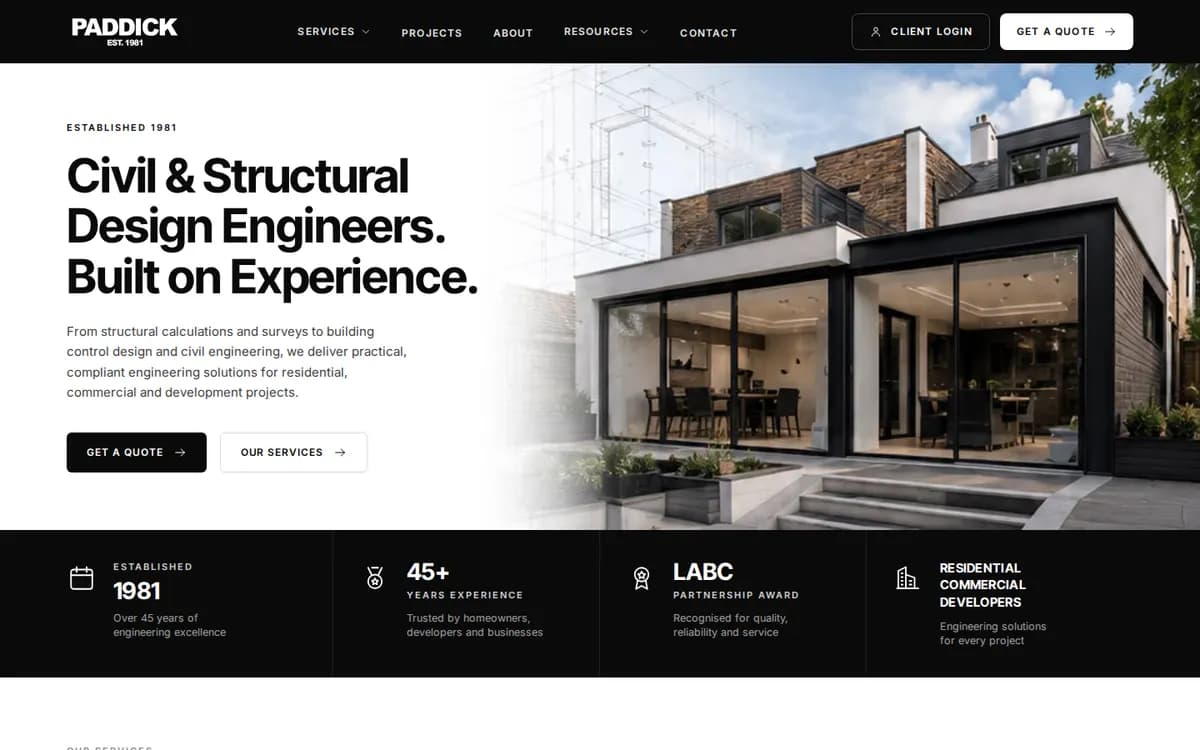
Paddick Engineering is a civil and structural engineering practice in Yorkshire. Its website, paddick.online, is a custom Next.js build: written in code rather than assembled from a theme, server-rendered and self-hosted.
It is the largest of the public websites in our work, and this page goes through it section by section: services, towns, projects, guides, the calculator and the quote form.
- What it is
- Public website
- Sector
- Civil and structural engineering, Yorkshire
- Built with
- Custom Next.js build
- Address
- paddick.online
The job the site does
People who need a structural engineer rarely know the name of the service they are after. They know they want to knock a wall through, or that building control has asked for calculations, or that a planning condition mentions drainage. The website has to meet them there: explain each service in plain English, show that the practice has handled this kind of job before, and make asking for a quote straightforward.
When a quote request does arrive, it needs to carry enough detail for an engineer to act on, instead of starting a round of emails to find out where the site is and what the project involves.
What we built
Each of the 19 engineering services has its own page, from structural calculations and steel beam calculations to structural surveys, drainage design, flood risk assessments, SuDS and highways design, with a services hub above them. Every service page links on to related services and to the towns where the service is provided.
Seven project write-ups share one four-part shape: the requirement, the engineering challenge, the solution and the outcome. It is the order an engineer thinks in, and it lets a reader see quickly whether a past job looks like theirs.
Guides and a working calculator
A resources library holds 18 plain-English guides, grouped into 5 topic hubs, for people who want to understand a subject before they ask for help. Next to them is a free drainage falls calculator: enter what you know, and it works out the fall, the gradient or the maximum run.
An FAQ page groups its questions into four topics, so someone with a question about surveys does not have to read through the drainage answers to find theirs.
A quote form an engineer can act on
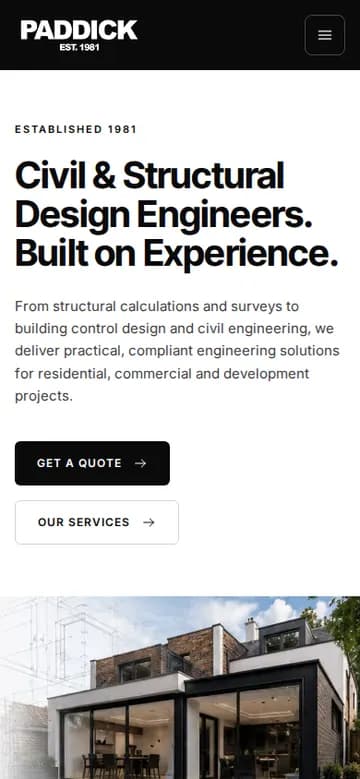
The Get a Quote form asks for the service, a name, email address and phone number, the site postcode and address, and a description of the project, then explains what happens next. Click-to-call runs in the header and footer, the contact page carries call, email and opening hours, and on a phone the menu folds into a burger.
The login button in the header links to the staff sign-in page of Paddick One, the firm’s own operations system, which we also built.
How it’s built to be found
Five town pages, for Leeds, Bradford, Wakefield, Huddersfield and Harrogate, sit under an areas hub. Each lists the services available in that town, answers local questions in its own FAQ, links to nearby areas and shows recent work in that town, so it is a useful page in its own right rather than a copy with the name swapped.
Titles and meta descriptions lead with the words people use for each service. Structured data runs on every page: the practice is described as a professional service with its opening hours and the areas it serves, and inner pages add Service, FAQ and breadcrumb markup. Canonical tags, full Open Graph and Twitter sharing tags, an XML sitemap and robots.txt complete the set-up.
The pages also link to each other on purpose. Service pages point to ‘Related services’ and ‘Where we provide this’, town pages to ‘Nearby areas’, and projects and guides back to the services they involve.
What you can see today
In September 2026 the site’s XML sitemap listed 67 pages: 19 service pages, 5 town pages, 7 project write-ups and 18 guides, plus the hubs, the calculator and the quote form. Open paddick.online and you can try the calculator, read a project write-up from requirement to outcome, or walk through the quote form up to the point of sending it.
Call us or get a quote
Talk it through with LDC on the phone, or send a few lines and we’ll come back to you with a quote.
Get a quote
Tell us what you’re trying to achieve.
A few lines is plenty. Tick what you think you need - or “Not sure” - and we’ll reply by email to talk it through and quote.