
Case study · Website
NHG Vehicle Care: from concept to live in three weeks
NHG Vehicle Care is an independent garage in Leeds that tests, services and repairs cars, vans and light commercial vehicles. We designed its brand look on screen and in print, built the website from that design in Next.js, wrote its advice guides, and now host it, back it up and keep it running.
This page tells the whole story in more detail than the card on our web and digital page: where it started, what was built, how it is set up for local search and what you can check on nhgvehiclecare.com today.
- What it is
- Public website
- Sector
- Independent garage · MOT testing, servicing and repairs, Leeds
- Built with
- Next.js · TypeScript · hosted and looked after by LDC
- Address
- nhgvehiclecare.com
The job the site does
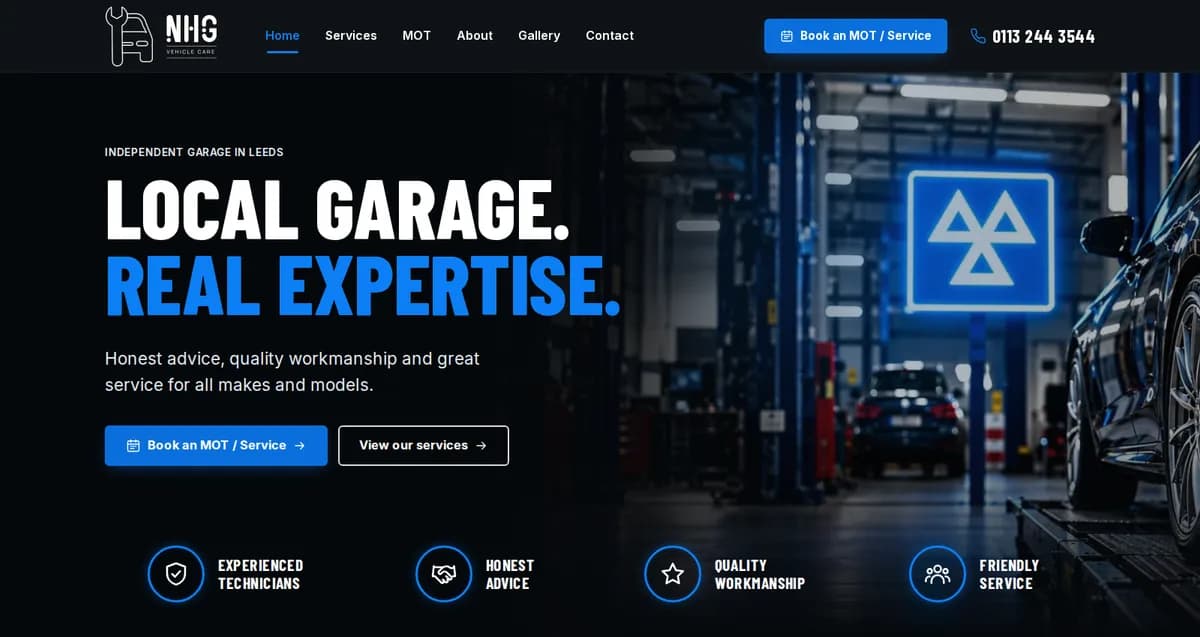
Most people who need a garage are not browsing. The MOT is due, a warning light has come on, or the brakes have started to make a noise, and they search on a phone for somewhere nearby they can trust. The site had to pass that quick test: look like a serious workshop, make the garage’s range of work obvious at a glance, and make booking or calling the next thing you do.
It also had to answer the questions people ask before they book. Which MOT class does my van need? Can I have the service done on the same visit? What happens if it fails? Putting those answers on the site, in plain words, saves the phone ringing with the same questions and gives search engines something worth showing.
From concept to launch
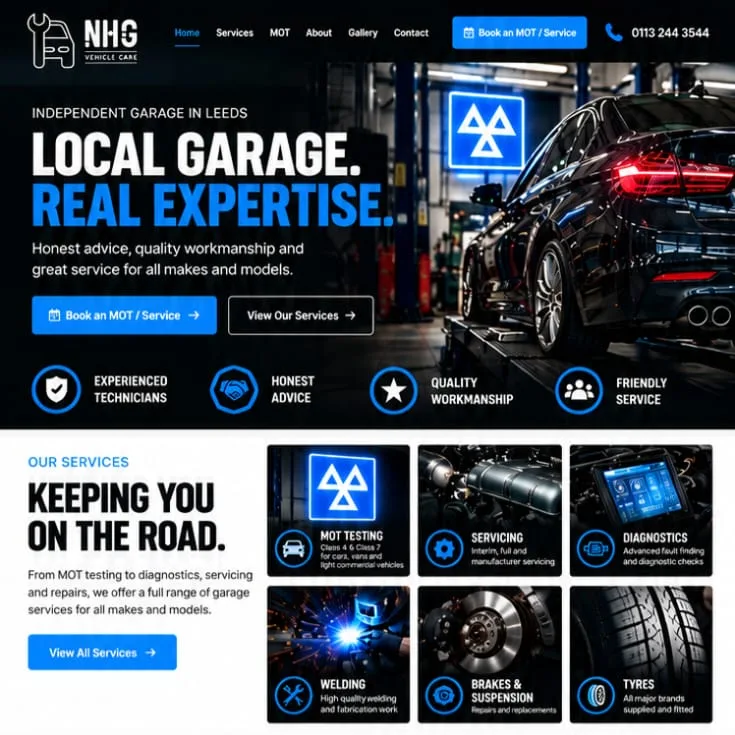
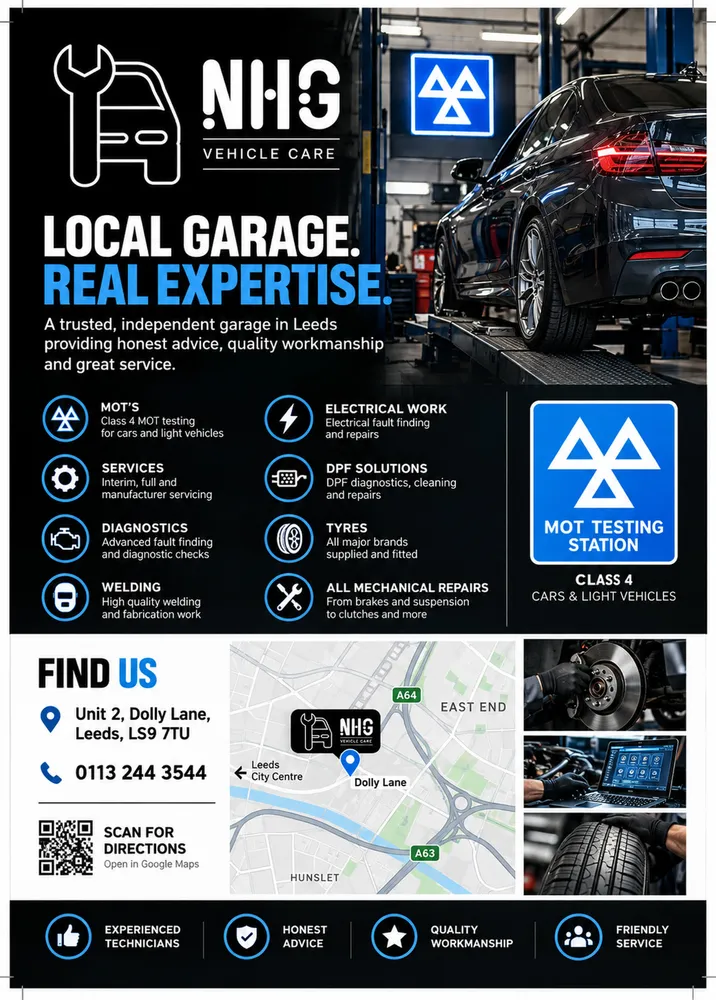
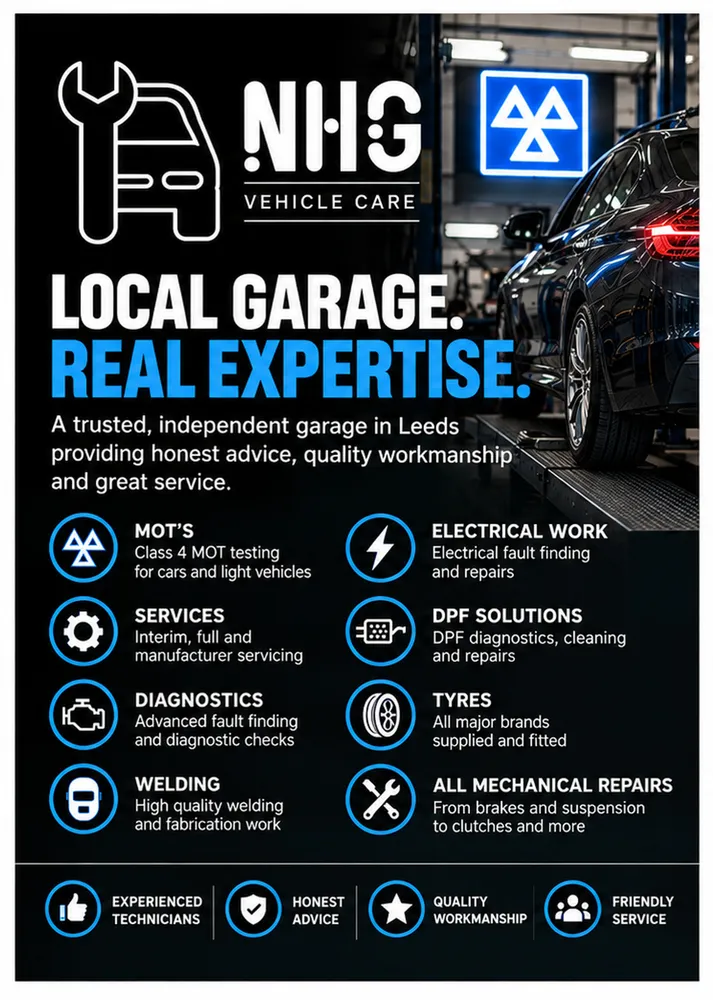
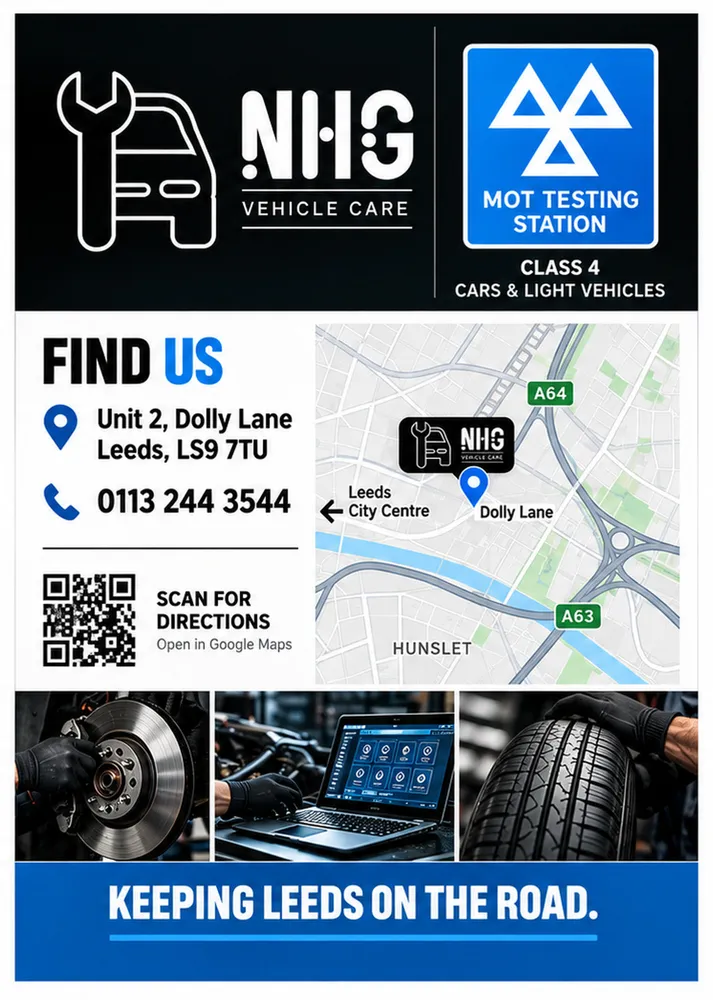
The work started as a single homepage design: a dark page with a bold condensed headline, a bright blue accent, the booking button in the first screen, a row of trust points, a grid of photo tiles for the services, a find-us panel and a closing call to book. Alongside it we designed an A4 poster and a double-sided A5 flyer that carry the same look and the same message, with a QR code for the local area.
Once the design was agreed, the website was built to match it rather than approximated from it. The headline face, the blue, the spacing and the tile layout on the live site are the ones in the concept. Photographs supplied part way through the build replaced the concept’s placeholder renders on every page and in the gallery.
Launch was a deliberate switch rather than a date. The site ran on a private address with search engines kept out while the content, the booking email and the domain were finished, and went public on its own domain with indexing turned on the same day, with Search Console verification already in the page head.
What we built
Every service the garage offers has a page of its own, written around what that job involves and what the MOT looks for: MOT testing with separate Class 4 and Class 7 pages, servicing, diagnostics, brakes and suspension, tyres and wheel alignment, welding, exhausts, air conditioning regas, DPF cleaning, general repairs and a mechanic page. The MOT and class pages carry their own questions and answers, and every service page links to the related advice guides.
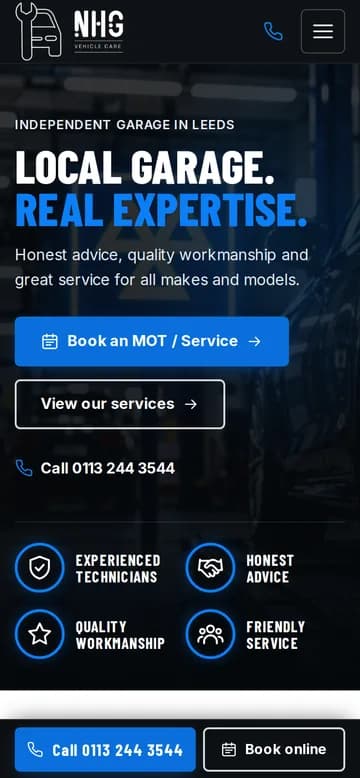
The booking form asks for the vehicle, the service wanted and a preferred time, saves the request on the server and then emails it straight to the garage from our own server, signed so that mail servers can trust it. If the mail cannot be delivered first time, a queue retries it. On a phone, a fixed bar at the foot of every page offers one tap to call and one tap to book.
- A static site: every page is built in advance and served as plain HTML, so it loads fast and there is very little to go wrong
- Images served in WebP at the size each screen needs, with photographs on every page
- The official MOT approved-test-station symbol drawn as a vector, so it is crisp at any size
- A find-us map rendered from OpenStreetMap, with a well-known hospital nearby as the reference point for directions
- Cookie consent with analytics wired in behind it, ready for the garage’s measurement ID
Advice from the workshop
A garage website that only lists services has nothing to say to someone whose warning light has just come on. So the site has an advice section of guides written in plain English: how to prepare a car for its MOT, what happens if it fails, how to tell whether a van needs a Class 4 or Class 7 test, what dashboard warning lights mean, the tyre tread law, signs that brakes need checking, what a DPF warning means and what an air conditioning regas involves.
Every fact in them comes from GOV.UK or UK legislation and nowhere else, a rule we set ourselves and kept. The guides link to the service pages and the service pages link back to them, so a reader who arrives from a search about a failed MOT is two taps from booking the repair.
How it’s built to be found
Before any copy was written we pulled the search terms drivers in Leeds actually use from Google’s keyword tool and wrote each page title around one of them, keeping titles short. Each page has its own description and canonical address, the URLs say what the page is about, and the www and plain http addresses all redirect to one address in a single step.
The structured data describes the garage the way search engines want it: the business as an AutoRepair with its opening hours, logo, photos and a catalogue of the services it offers; each service page as a Service; the questions on a page as FAQ markup, only where the questions are visible; each guide as an article; breadcrumbs on every inner page; and a site-wide WebSite node. There is a sitemap, a robots file that allows everything public, and an llms.txt file describing the site for AI assistants.
Hosting, email and backups
The site runs on our own server behind a reverse proxy that issues and renews its HTTPS certificate automatically. Booking requests are kept in a small database on the server as well as being emailed, so nothing is lost if an email bounces, and that database, the email settings and the code are archived every night and copied off the server, with the previous copy overwritten so the archive never grows.
A health check runs every morning and reports whether the site answered, whether its certificate is in date and whether last night’s backup completed. The code is kept in a private repository as well, so the site can be rebuilt from scratch on another machine.
What you can see today
Open nhgvehiclecare.com on a phone and the first screen offers the booking button and the call bar. Scroll the homepage for the service tiles, the MOT band with its symbol, the map and the common questions. Open any service page, read a guide in the advice section, and view the page source to see the titles, descriptions and structured data described above.
As with every case study here, we describe only what anyone can check by opening the site. We make no claims about traffic or rankings for a site that went live this month, and the garage’s own reviews and prices are its story to tell, not ours.
Call us or get a quote
Talk it through with LDC on the phone, or send a few lines and we’ll come back to you with a quote.
Get a quote
Tell us what you’re trying to achieve.
A few lines is plenty. Tick what you think you need - or “Not sure” - and we’ll reply by email to talk it through and quote.